
Wired to Wireless CarPlay: What Changes in the Car and What Doesn't
Product Features
-
What actually changes when a wired CarPlay car goes wireless - and what stays untouched. ZESTECH breaks down the AX1800 wired-to-wireless adapter and the AI-box wireless mode for importers.
Product Introduction
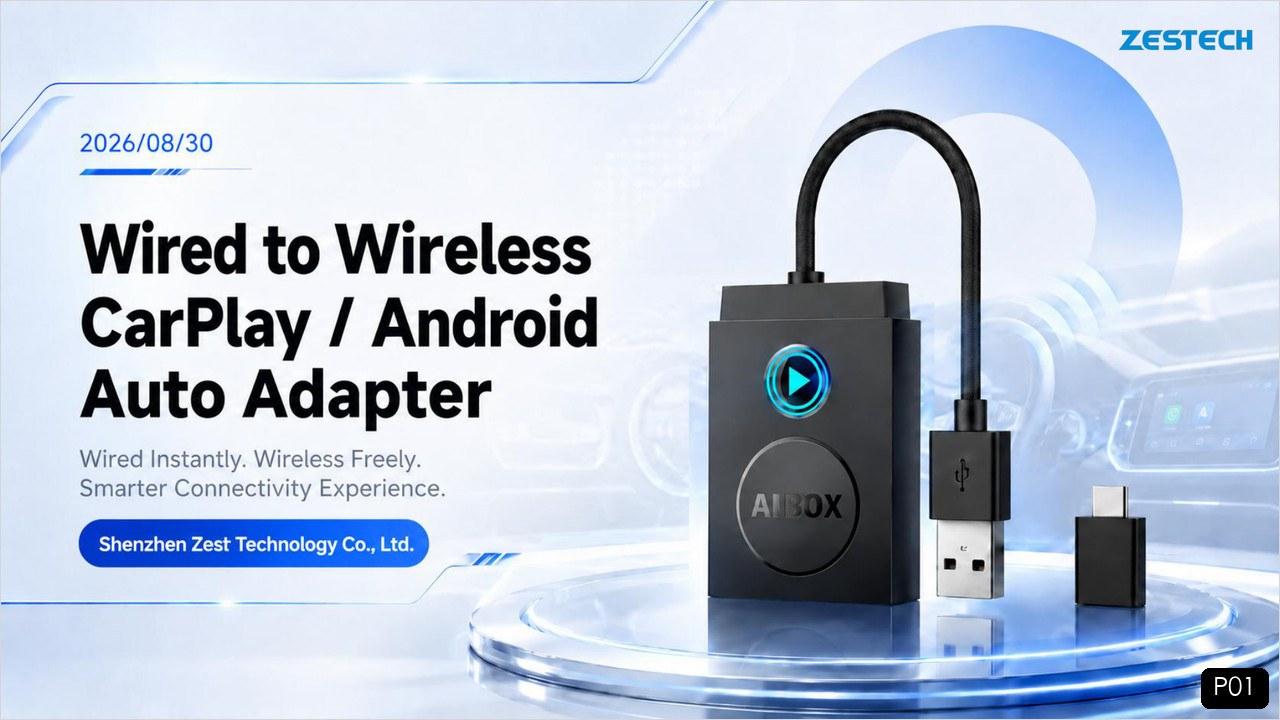
Fig. 1 — The ZESTECH AX1800 adapter: wired car in, wireless freedom out.
What “Wireless CarPlay” Actually Means — and What It Is Not
Wireless CarPlay does not replace your car’s infotainment system, and it does not add CarPlay to a car that never had it. The factory head unit remains the screen, the brain for audio and vehicle functions, and the source of the CarPlay protocol itself. What changes is only the last meter — the physical cable between the phone and the head unit.
Here is how the link works in practice. A wireless CarPlay session is established in two stages: the phone and the adapter first pair over Bluetooth, then the data traffic automatically switches to a Wi-Fi connection for the high-bandwidth screen streaming. This Bluetooth-handshake-then-Wi-Fi design is the industry-standard mechanism, and it is exactly how the AX1800 adapter behaves: once Bluetooth pairing succeeds, the iPhone joins the adapter’s Wi-Fi network and the wired CarPlay session is replaced by a wireless one with the same on-screen experience.
So the honest definition for your product catalog is this: a wired-to-wireless adapter converts the factory wired CarPlay or wired Android Auto connection into a wireless one — it does not create CarPlay where the factory system never supported it.
What Changes in the Car
When a customer plugs the adapter in, four things genuinely change:
✓The phone cable disappears — the driver stops plugging in a USB cable every trip; CarPlay or Android Auto starts over the air.
✓The car connects automatically — after the first pairing, the adapter reconnects by itself every time the driver gets in; no taps, no setup screens.
✓One USB port is occupied by the adapter — the adapter sits in the wired CarPlay port (USB-A or Type-C) and stays there; it draws its power from that same port.
✓The pairing flow moves to the phone — first-time setup happens on the phone: turn on Wi-Fi and Bluetooth, tap the adapter’s Bluetooth name, confirm “Use CarPlay” or “Use Android Auto”.
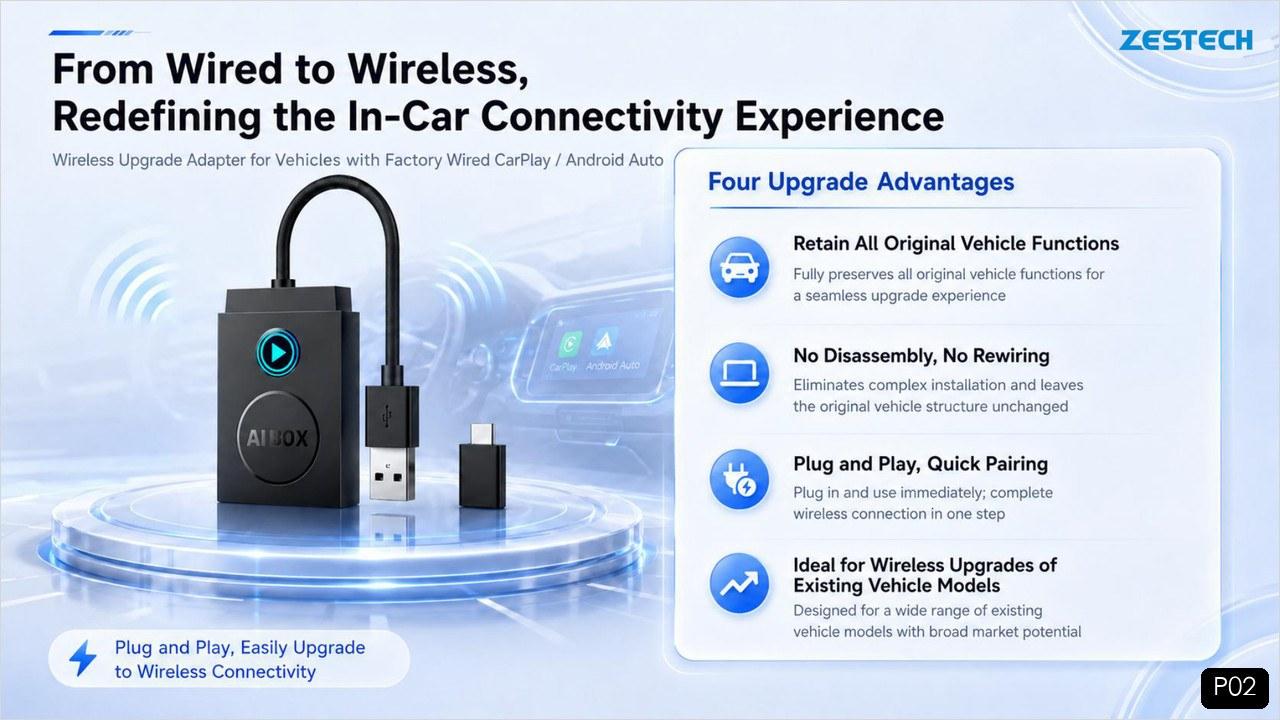
Fig. 2 — Four upgrade advantages: original functions retained, no disassembly, plug and play, fits a wide range of vehicles.
What Stays Exactly the Same
This is the half that sells the product, because it removes the fear of touching the car:
✓All original vehicle functions are retained — steering-wheel controls, OEM microphone, knobs and touch input keep working exactly as before.
✓No disassembly, no rewiring — the adapter is a plug-in dongle; nothing in the car is cut, spliced or opened.
✓The factory system is not modified — remove the adapter and the car is back to stock wired CarPlay in two seconds. That reversibility matters for leased vehicles and warranty-sensitive customers.
✓Voice control is unchanged — Siri and Google Assistant work through the wireless session, including calls, messages and navigation by voice.
For the end customer, the honest pitch is: the car does not change — the cable does.
Two Ways ZESTECH Puts a Wired Car on Wireless
Depending on what your market needs, there are two product paths, and they solve different problems.
Option 1: The AX1800 Wired-to-Wireless Adapter
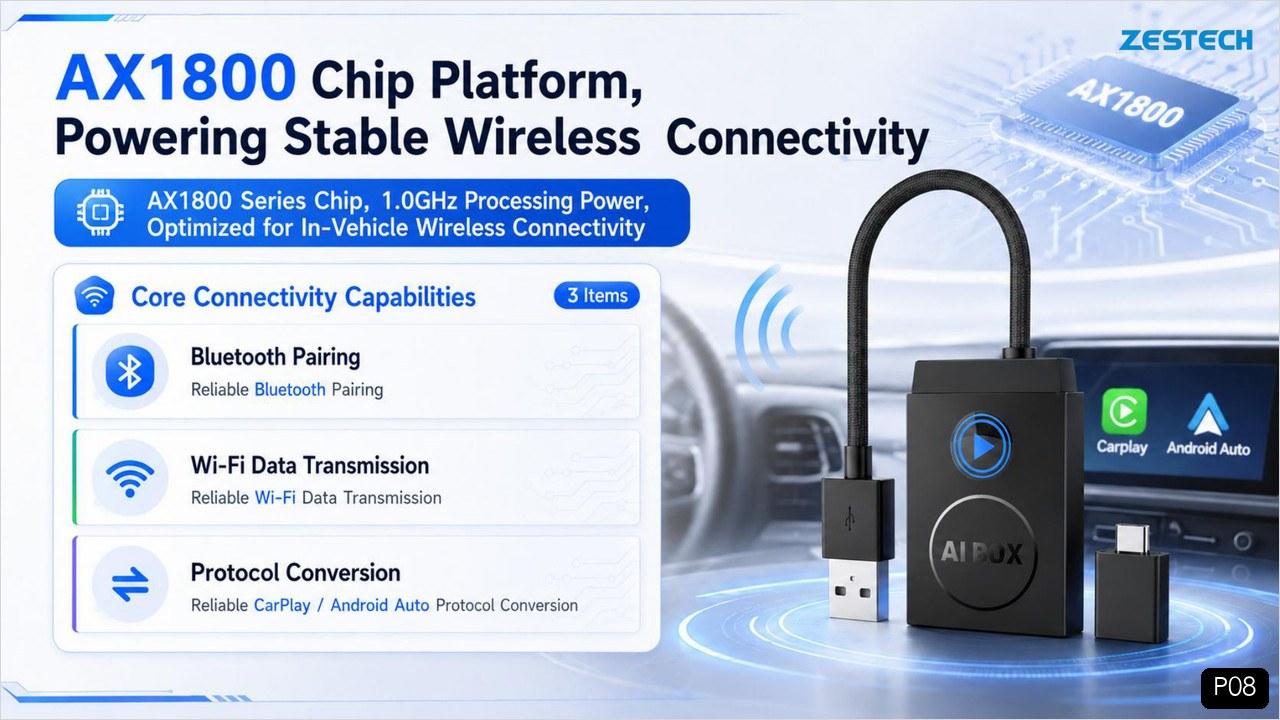
The adapter is the purest “cable remover”. It targets the enormous installed base of vehicles with factory wired CarPlay or wired Android Auto — compatibility covers 98% of car models equipped with a wired CarPlay or Android Auto port, per our specification. Inside is the AX1800 series chip with a 1.0 GHz Cortex-A7 core, optimized for one job: stable in-vehicle wireless connectivity. Bluetooth 5.4 handles the handshake (2402–2480 MHz, onboard antenna), and dual-band Wi-Fi 6 (2.400–2.497 GHz and 5.150–5.850 GHz) carries the data, which is what keeps navigation, music and voice latency-free.
Fig. 3 — The AX1800 platform: Bluetooth pairing, Wi-Fi 6 data transmission and original protocol conversion.
Option 2: The CarPlay AI Box in Wireless Mode
For customers who want more than cable-free CarPlay, the AI box adds a full Android environment on the factory screen. On our boxes, switching to the wireless connection is deliberately simple: a one-time setting in the box’s menu switches the unit into wireless CarPlay mode, and the box then links with the head unit through wireless CarPlay — the box itself keeps its Type-C cable for power. The line-up runs from the cost-effective ZT-S36 (Qualcomm QCM6115, Android 13) to the flagship ZT-S48 (Qualcomm SM6350, Android 15, 5G), and these boxes work with cars whose factory system is wired or wireless CarPlay.
The rule of thumb for your sales team: adapter = cable-free CarPlay; AI box = cable-free CarPlay plus a full Android OS with apps.
First Connection Takes Three Steps
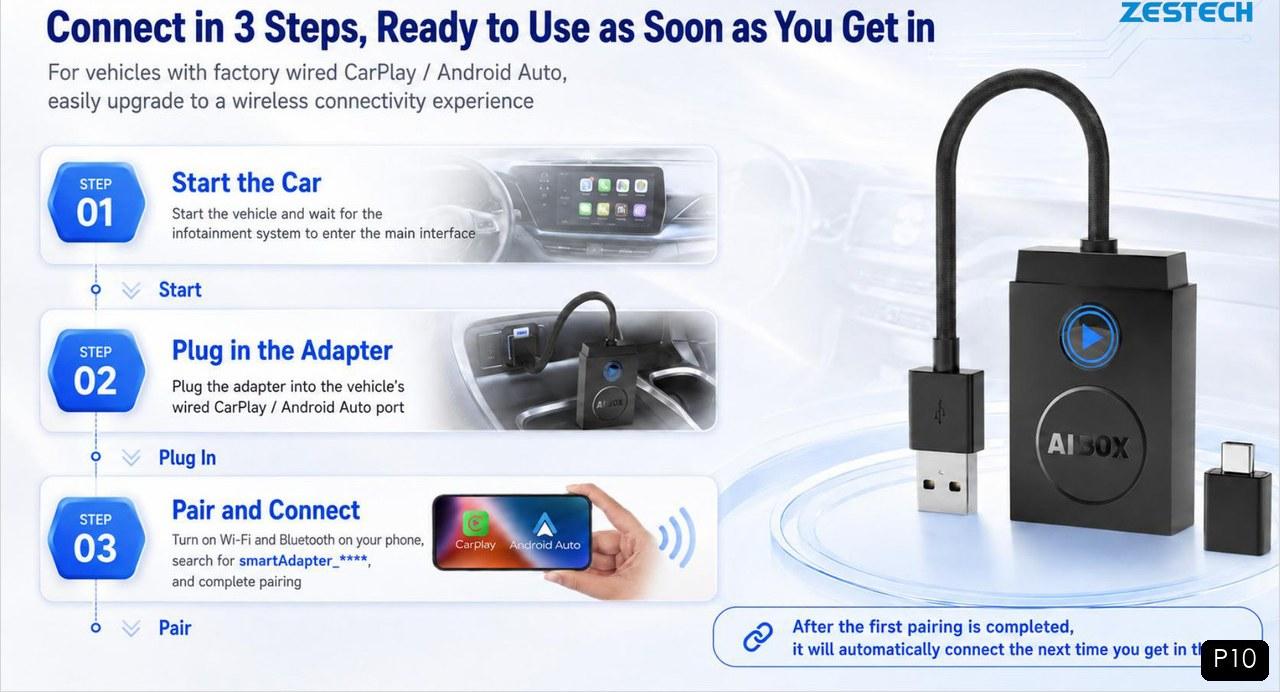
Fig. 4 — Three-step first-time setup, then automatic reconnection on every trip.
✓Start the car — wait for the infotainment system to load to its standby screen.
✓Plug in the adapter — into the car’s USB-A or Type-C wired CarPlay / Android Auto port.
✓Pair and connect — on the phone, turn on Wi-Fi and Bluetooth, tap the adapter named “smartAdapter_**” (the Bluetooth name is customizable for OEM projects), then choose “Use CarPlay” or “Use Android Auto”.
Done — from the next trip onward it reconnects automatically.
Read the Status Lights at a Glance
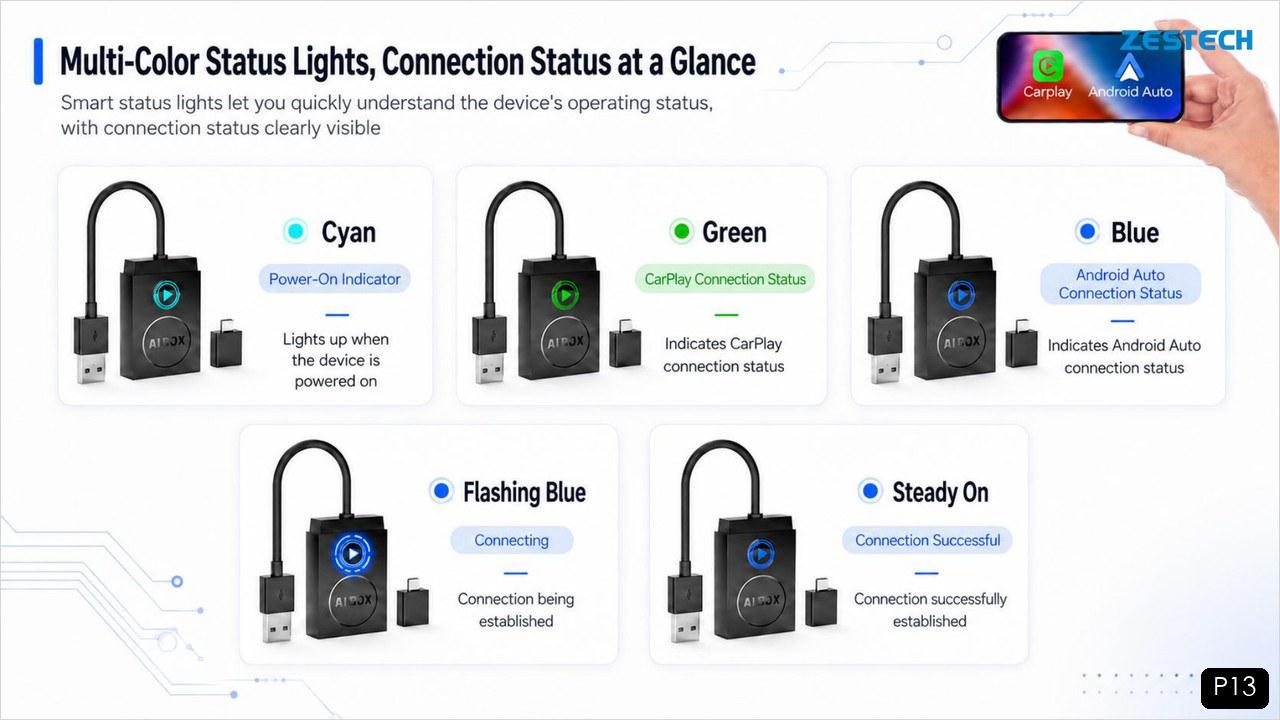
Because installers and end users judge a product in the first thirty seconds, the adapter’s LED tells the connection state without any app or manual:
✓Cyan — power-on indicator.
✓Green — CarPlay: flashing while connecting, steady when connected.
✓Blue — Android Auto: flashing while connecting, steady when connected.
Fig. 5 — Multi-color status lights make connection state readable at a glance.
The CarPlay and Android Auto interfaces automatically adapt to the car’s screen size, from compact 7-inch OEM units up to 11-inch displays.
What This Means for Your Product Mix
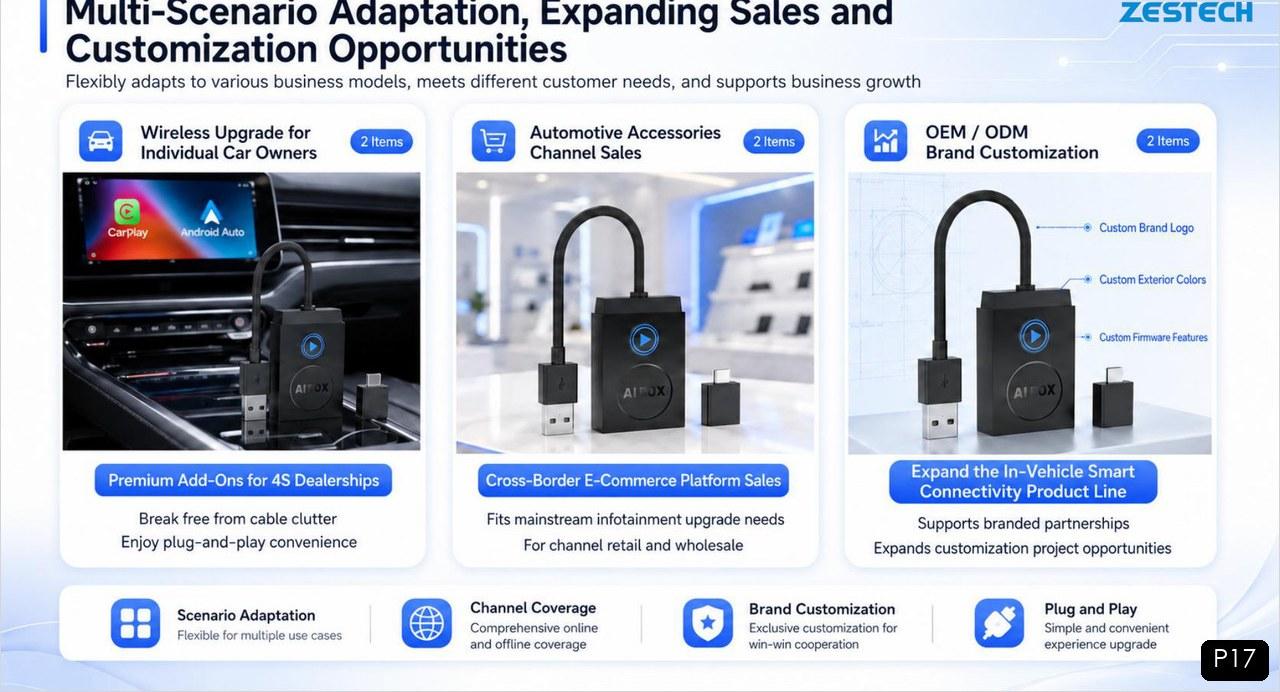
For distributors, the wired-to-wireless adapter is a low-ticket, high-turn entry product: it fits premium add-on sales for 4S dealerships, channel retail and wholesale, and cross-border e-commerce platforms. It requires no installation labor, ships in compact retail packaging, and opens the door to your full line-up — AI boxes, multimedia systems and OEM projects. It also supports brand customization: custom Bluetooth name, custom brand logo, custom exterior colors and firmware features for OEM/ODM programs.
Fig. 6 — One adapter, three business scenarios: end users, channel sales and OEM/ODM customization.
Product Introduction: AX1800 Wired-to-Wireless Adapter
Why Choose ZESTECH
✓Real manufacturing depth — ZESTECH operates a 50,000 m² production base with 7 production lines and an annual capacity of 3 million units, backed by 50+ R&D engineers and 125 authorized patents.
✓Quality systems you can audit — IATF 16949 and ISO 9001 certifications, plus product-level CE, FCC, E-Mark, RoHS, CCC and NTRA approvals.
✓A complete retrofit portfolio — from the AX1800 adapter to Qualcomm-powered AI boxes (ZT-S36, ZT-S48) and full replacement multimedia systems, one supplier covers every starting point.
✓OEM-ready — giftbox, logo printing and boot logo customization from accessible MOQs for growing distributors.
Let’s Talk About Your Project
Tell us your target market and monthly volume, and we will recommend the right wireless line-up — adapters, AI boxes or both — with the latest price and OEM options.
Email: info@szzest.com
WhatsApp: +86 135 9032 6885
Tel: +86 755 2369 9550 | Web: www.szzest.com
Send Inquiry →Factory: Building A, Huada Industrial Park, Fuqiao Third Industrial Zone, Fuhai Street, Bao’an District, Shenzhen, China
#WiredToWireless #WirelessCarPlay #CarPlayAdapter #AndroidAuto #CarPlayDongle #WirelessCarPlayAdapter #AX1800 #CarAccessories #CarPlayAIBox #AutoElectronics #AftermarketCarAudio #4SDealerAddOn #CrossBorderEcommerce #OEMCarElectronics #ZESTECH

Tel: +86 755 2369 9550
Email: info@szzest.com
Add:
Building A, Huada Industrial Park, Fuqiao Third Industrial Zone,
Fuhai Street, Bao 'an District, Shenzhen, Guangdong


Design:jiasuweb