
From Lane Departure to Blind Spots: Inside ZESTECH Lane-Level ADAS and 360 Degree Panoramic AI
Product Features
-
A practical look at ZESTECH lane-level ADAS and 360 degree panoramic AI: FCW, HMW, LDW, FSW, PCW, TSR and RCW from a front camera, plus MOD, BSD, DOW and near-field collision warning from a four-channel 360 view – camera layouts, calibration and activatio
Product Introduction
ZESTECH. | Shenzhen Zest Technology · Est. 2010 |
From Lane Departure to Blind Spots: Inside ZESTECH
Lane-Level ADAS and 360 Degree Panoramic AI
Advanced driver assistance is no longer limited to factory-built cars. Running on a dedicated automotive platform with 8 TOPS of NPU compute, the ZESTECH system watches the road ahead and the space around the car at the same time — six lane-level warnings from a front camera, four AI detections from a four-channel 360 view, and one clean interface on the head unit.
See It Working: 15 Seconds of Real Road Footage
Specifications are easy to write and hard to trust. The clip below is shot in a real car: lane-level ADAS tracking the road ahead, 360 panoramic view rendering around the vehicle, plus DMS, BSD and DTS running at the same time on one head unit.
What ADAS Actually Means in an Aftermarket Head Unit
ADAS – Advanced Driving Assistance System – uses sensors already mounted on the car (cameras, and in some installations radar and satellite navigation) to sense the surrounding environment continuously while driving. It identifies, detects and tracks static and dynamic objects, combines that with map and vehicle state data, and warns the driver before a situation becomes dangerous.
The catch is compute. Visual algorithms of this kind need a lot of it: object detection, lane-line fitting, distance estimation and trajectory prediction all have to run frame by frame without dropping frames. That is why most aftermarket units simply do not offer ADAS – the platform cannot keep up.
8 8 TOPS NPUA dedicated neural processing unit rated at 8 TOPS handles the vision workload instead of the CPU, so the interface stays responsive while detection runs. | 55 550K BenchmarkA running score of up to 550,000 on the platform, which is what makes multi-channel vision practical in the aftermarket at all. |
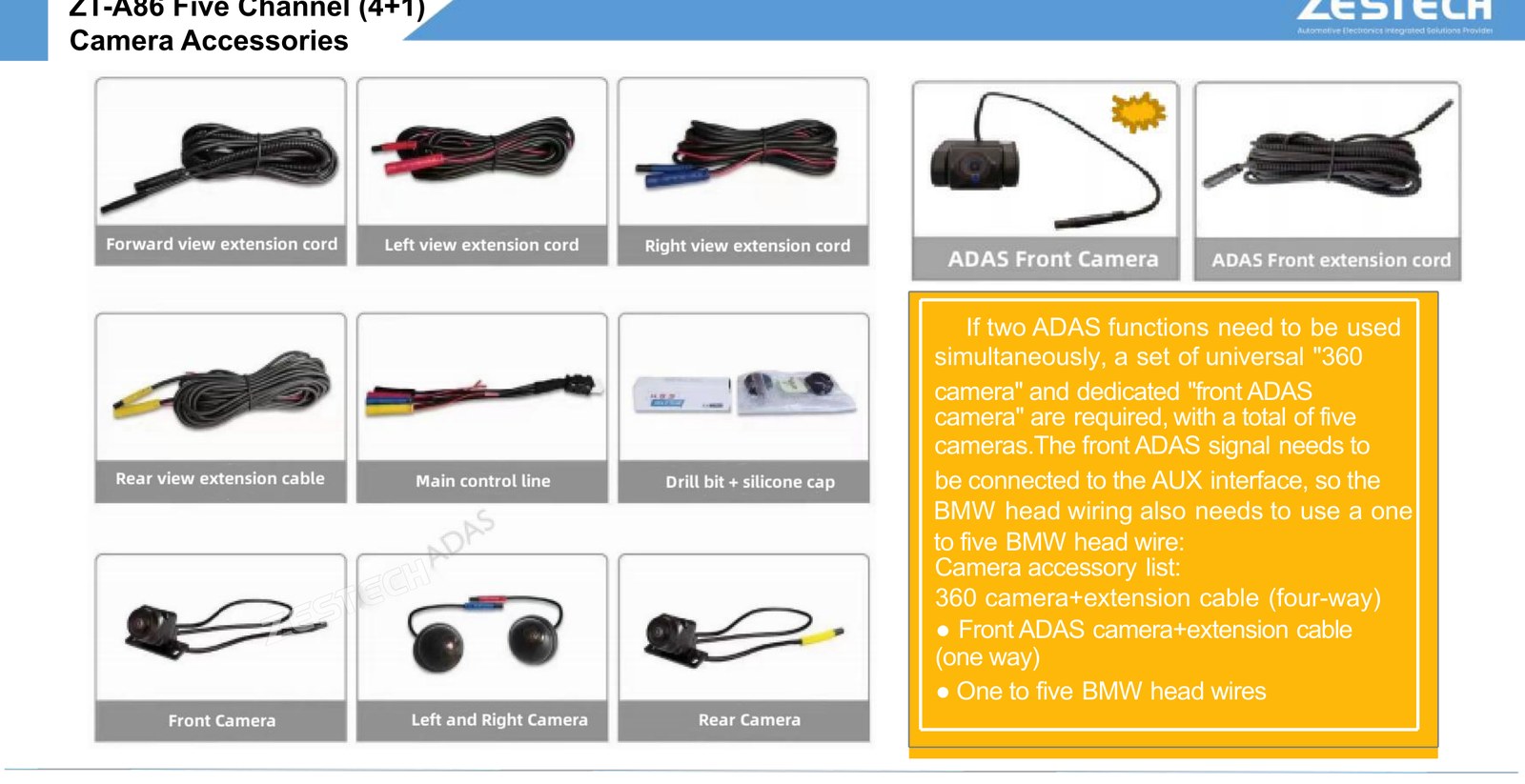
30 30 km/h ThresholdMost forward warnings engage above 30 km/h, which is exactly the speed band where highway risk concentrates. | 4+1 Up to 5 CamerasFour 360 cameras plus one dedicated ADAS camera can run together for full surround and lane-level coverage. |
Two Independent Functions, Two Activation Codes
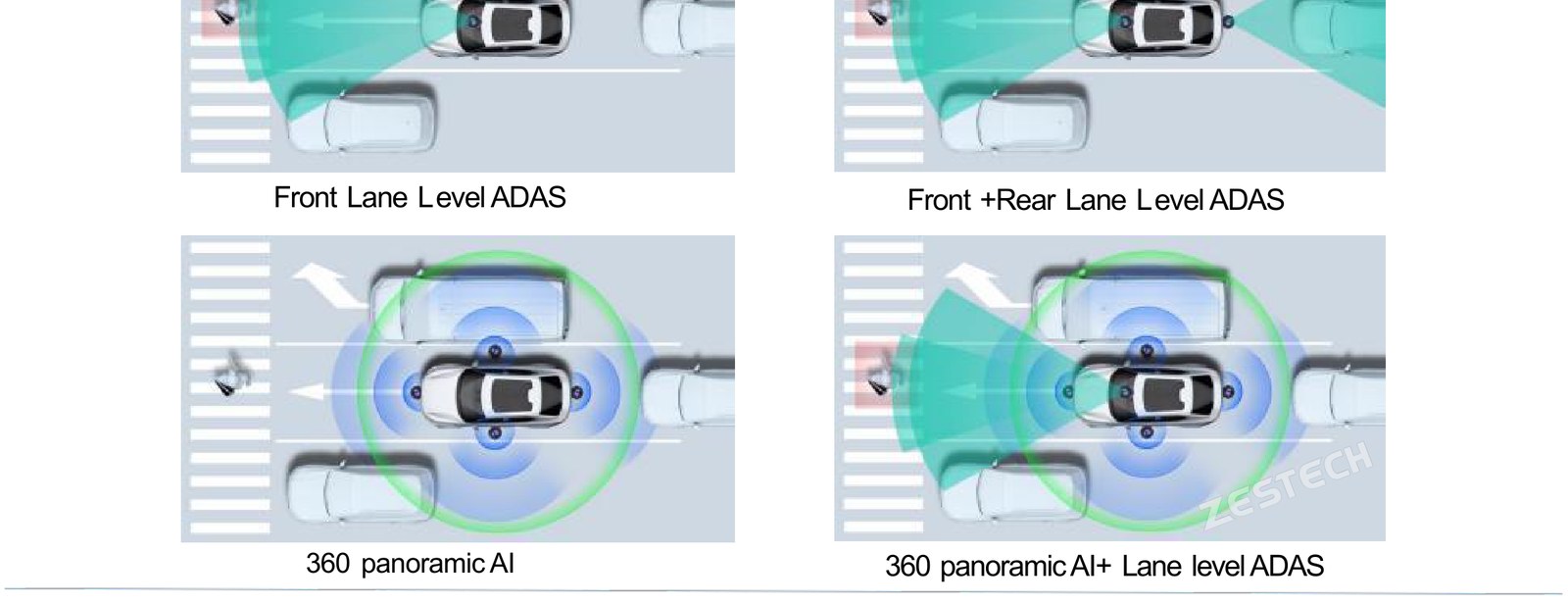
A detail that surprises many first-time buyers: lane-level ADAS and 360 panoramic AI are two separate functions. They use different activation codes, and they can run independently or simultaneously – depending on which cameras you install and which licenses you buy.
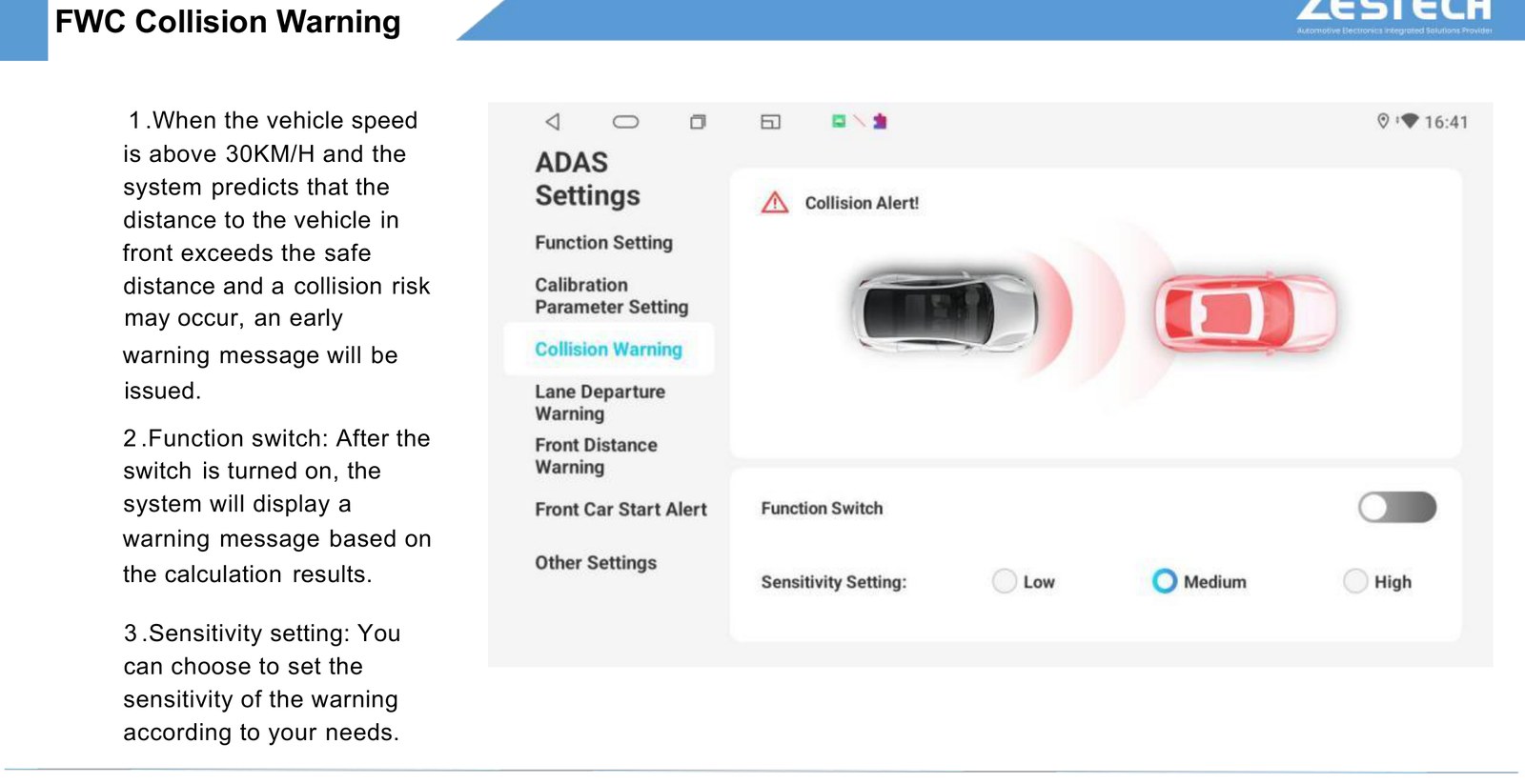
Both functions can be switched on and off independently in the settings interface, and each warning has its own sensitivity setting.
Lane-Level ADAS: Six Warnings From One Front Camera
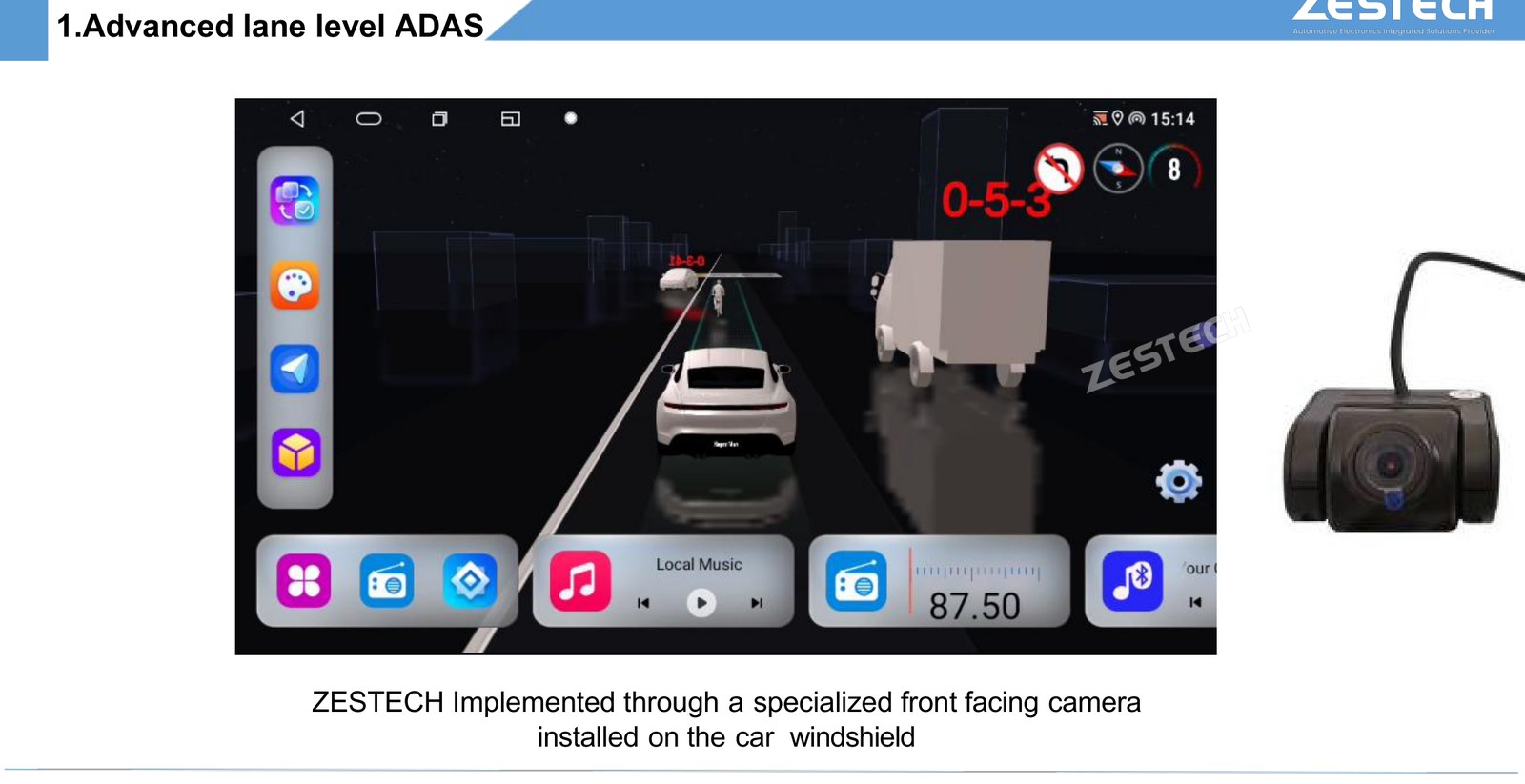
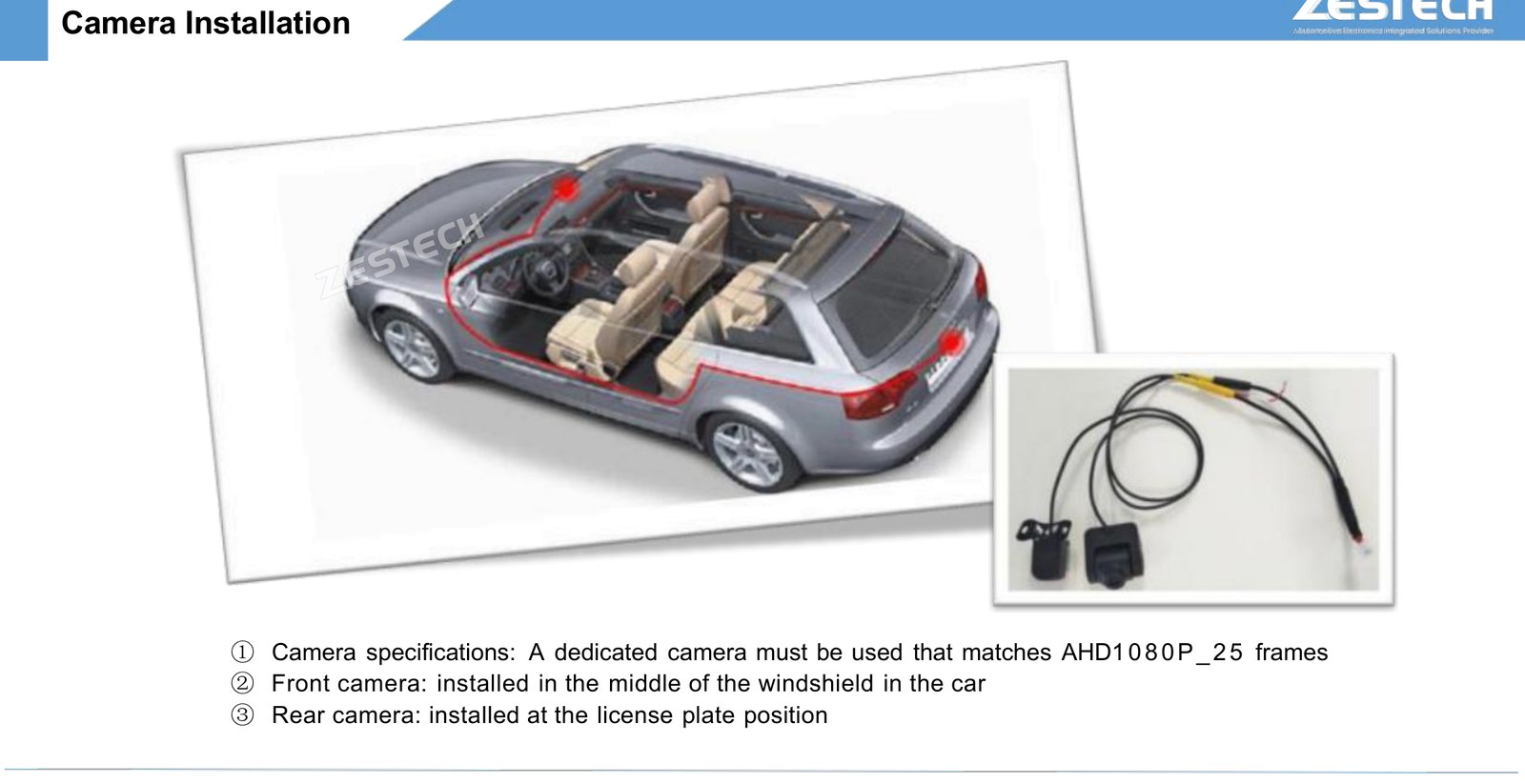
The lane-level function is implemented through a specialised front-facing camera mounted on the windscreen. Everything below runs from that single video stream – plus a rear camera if you choose dual-channel.

FCW – Forward Collision Warning
When vehicle speed is above 30 km/h and the system calculates that the gap to the vehicle ahead has fallen outside the safe distance, an early warning is issued before the gap becomes critical. The warning threshold can be tuned through a sensitivity setting, so a cautious fleet can be warned earlier and an experienced driver later.
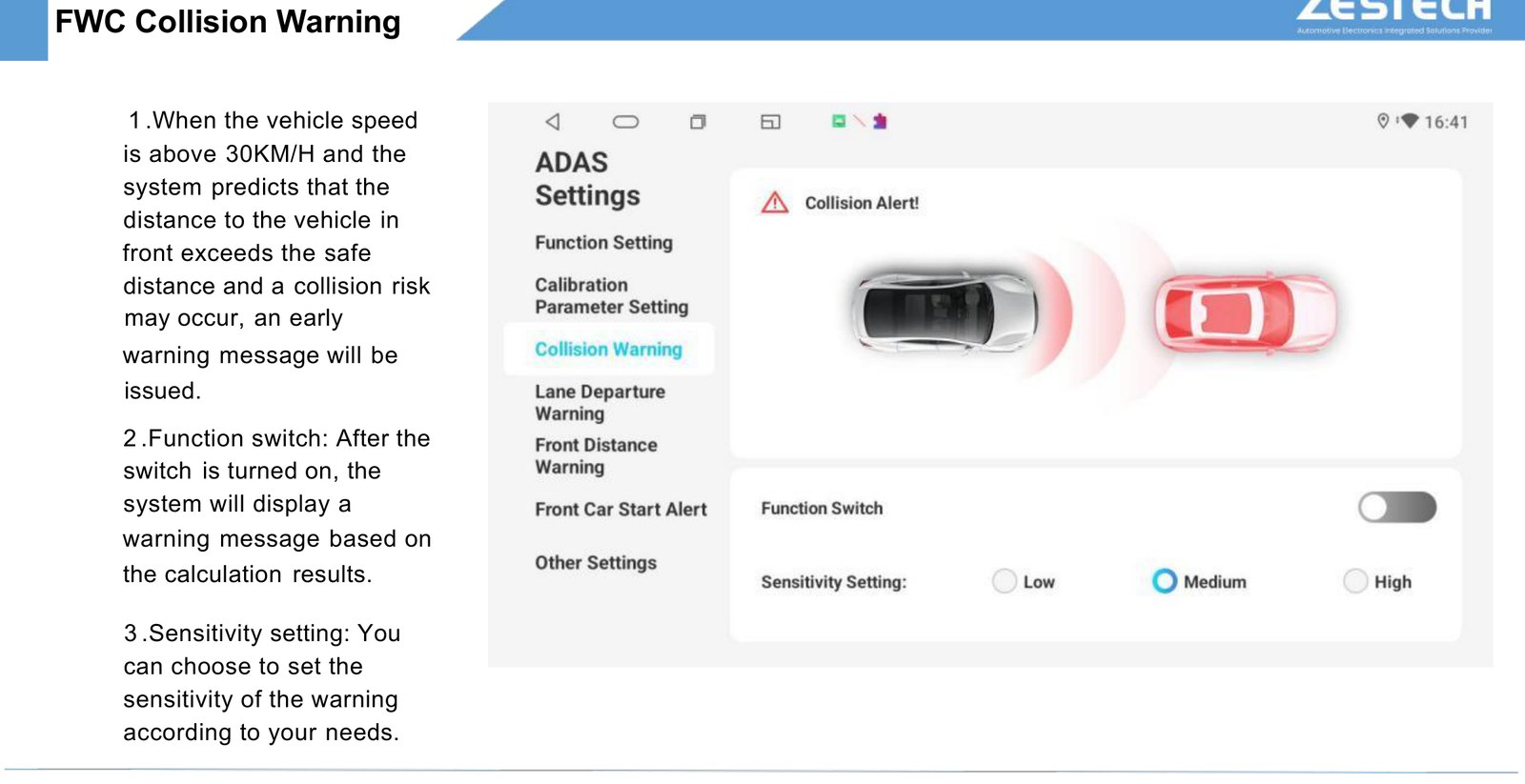
HMW – Headway Monitoring Warning
Above 30 km/h, an alarm triggers when the nearest vehicle in front enters the dangerous range. Detection range reaches 50 metres, which gives the driver a usable reaction window rather than a last-second beep.
LDW – Lane Departure Warning
Above 30 km/h, the system warns when the vehicle changes lanes without signalling, crosses a lane line, or drifts inside the lane through fatigue. Sensitivity is adjustable: the smaller the cross-line distance threshold, the more sensitive the warning – useful for long-haul drivers where drift is the main risk.
FSW – Front Car Start Reminder
At a standstill (0 km/h), if a vehicle is detected within 10 metres ahead in your lane and that vehicle then moves beyond the 10 metre range, the system reminds you to pull away – the classic queue-at-a-traffic-light scenario where inattention costs everyone time.
PCW – Pedestrian Collision Warning
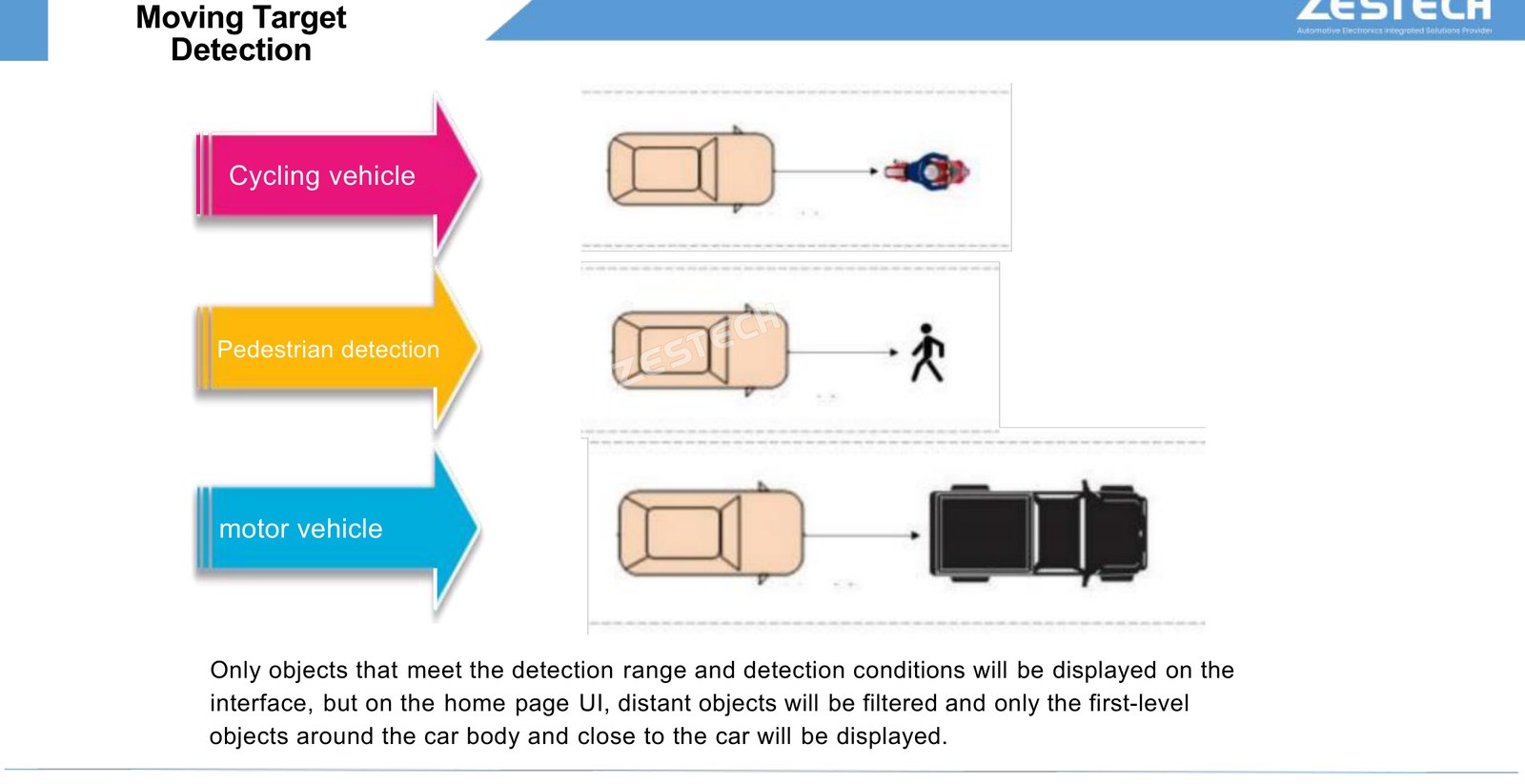
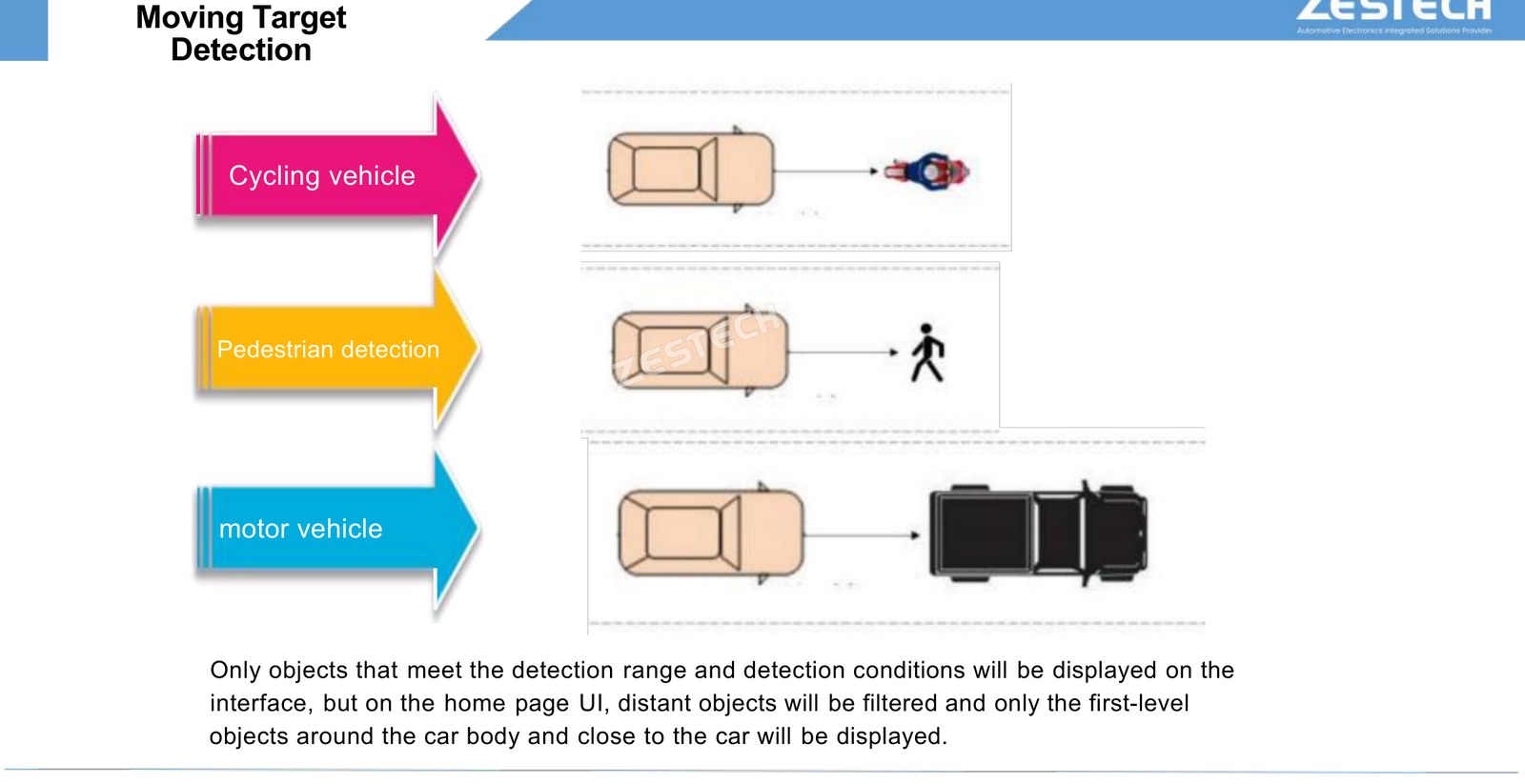
Pedestrian detection runs alongside vehicle detection, filtering distant objects on the home UI and keeping attention on first-level objects close to the car body. This is the function that matters most in dense urban delivery routes.
TSR – Traffic Sign Recognition
The front camera reads speed limit, no-entry, no-parking, no-turn and height limit signs. When a speed limit sign is recognised and the vehicle exceeds it, an alarm is output; where several speed limit signs appear at once, the maximum posted limit is used as the reference. Recognised signs are displayed on the interface as a continuous reminder.
RCW – Rear Collision Warning (dual-channel only)
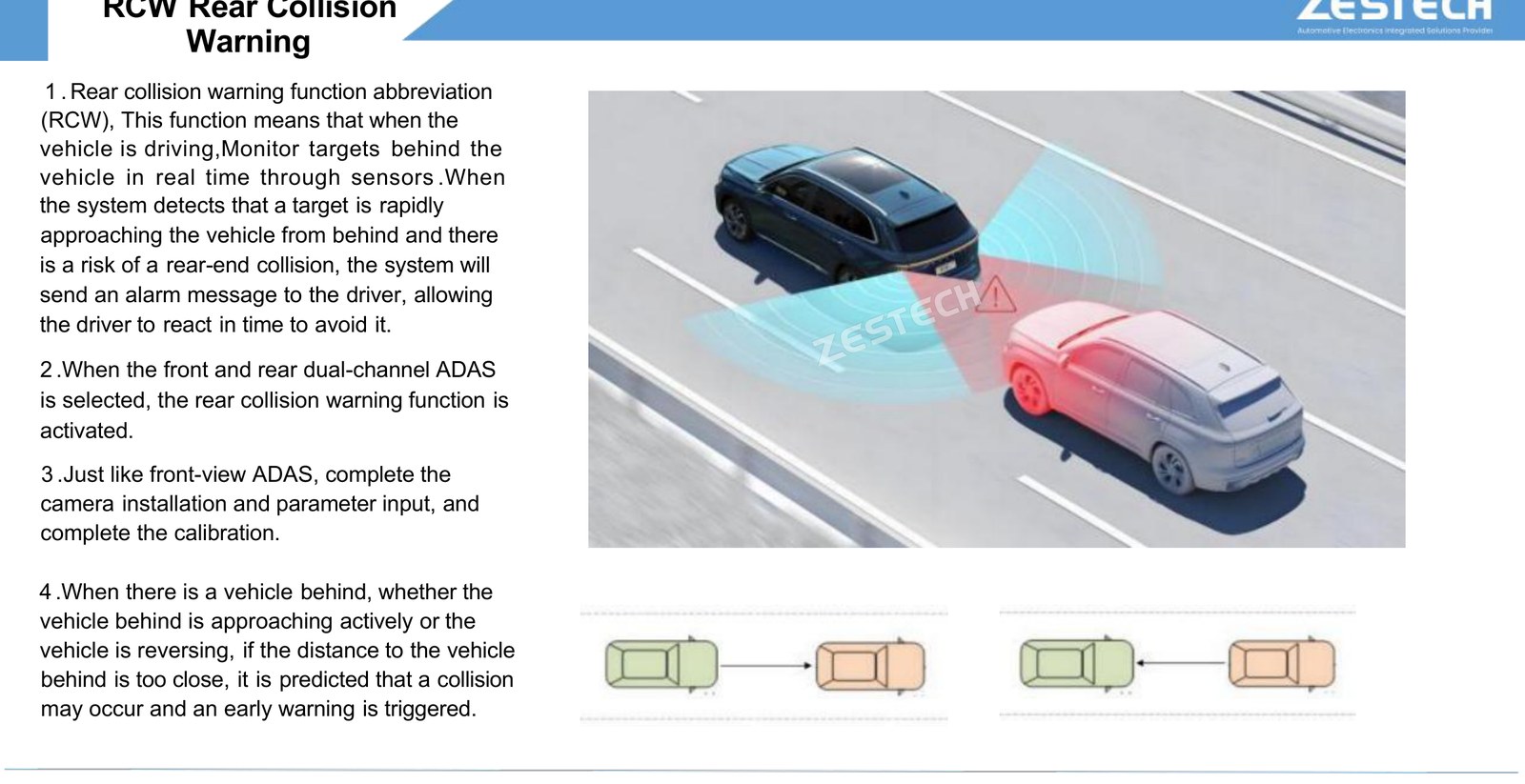
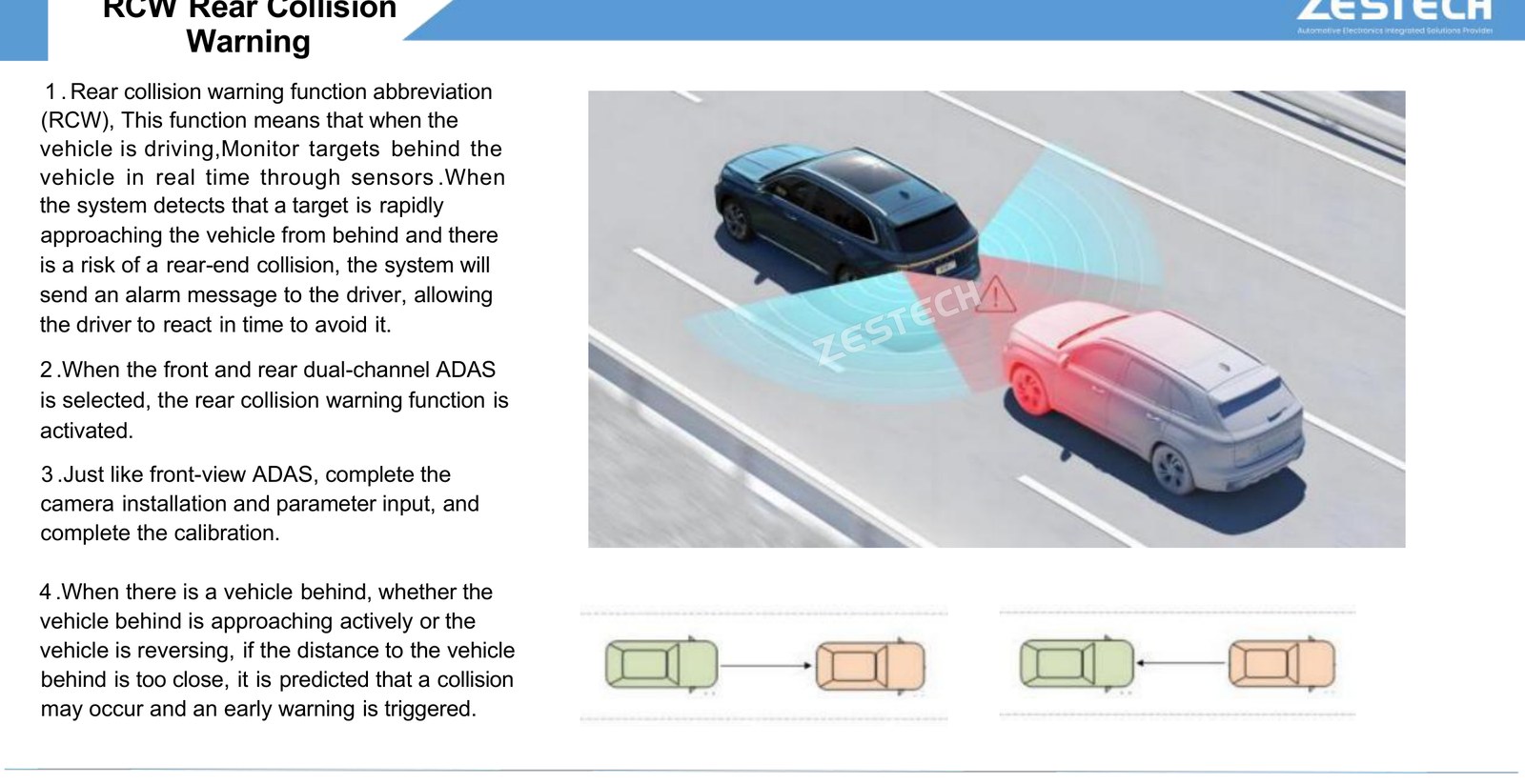
With front and rear dual-channel ADAS selected, the rear collision warning activates. It monitors targets behind the vehicle in real time and warns when a target is approaching rapidly from behind – whether you are driving forward or reversing.
360 Panoramic AI: Four More Ways to Avoid a Mistake
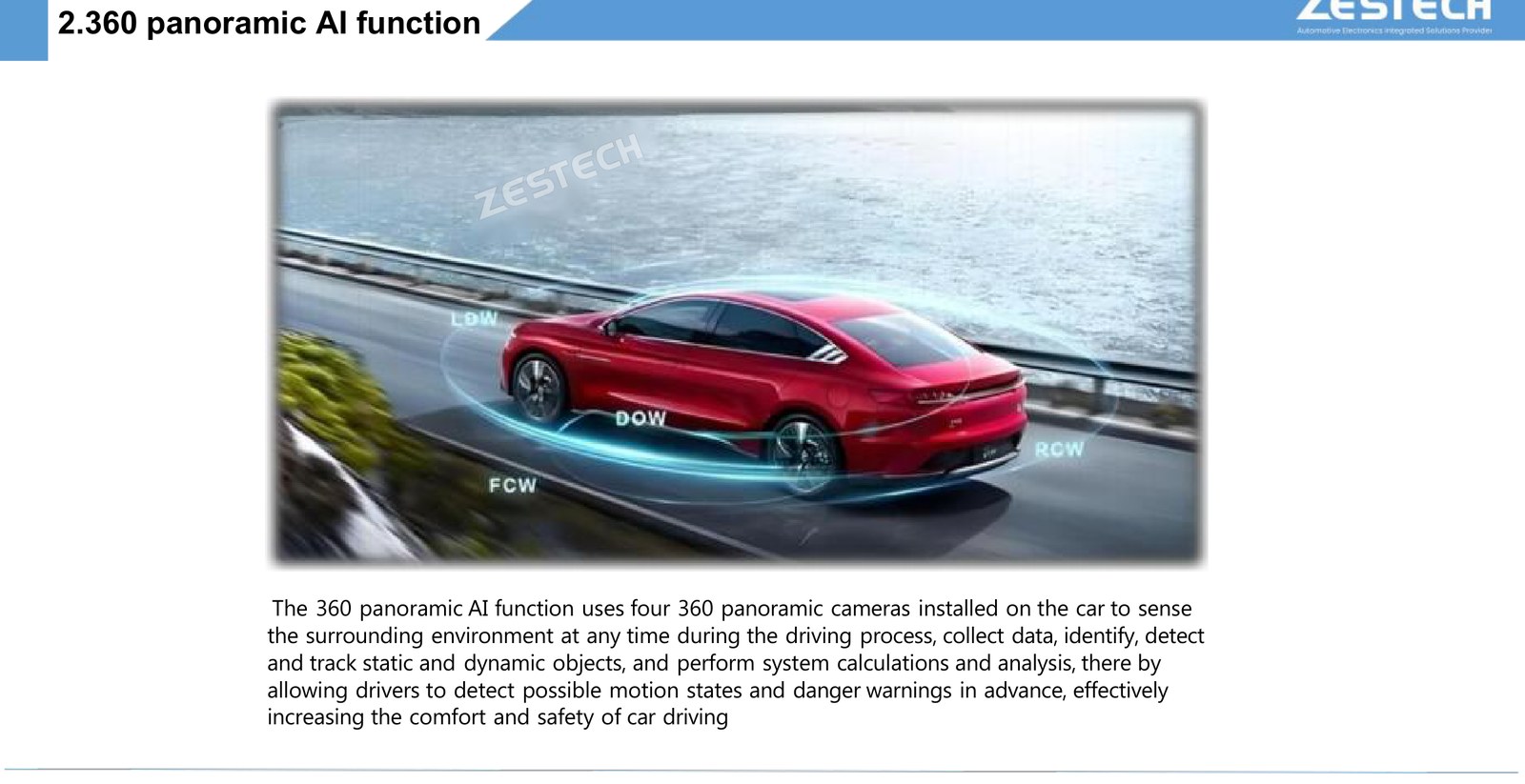
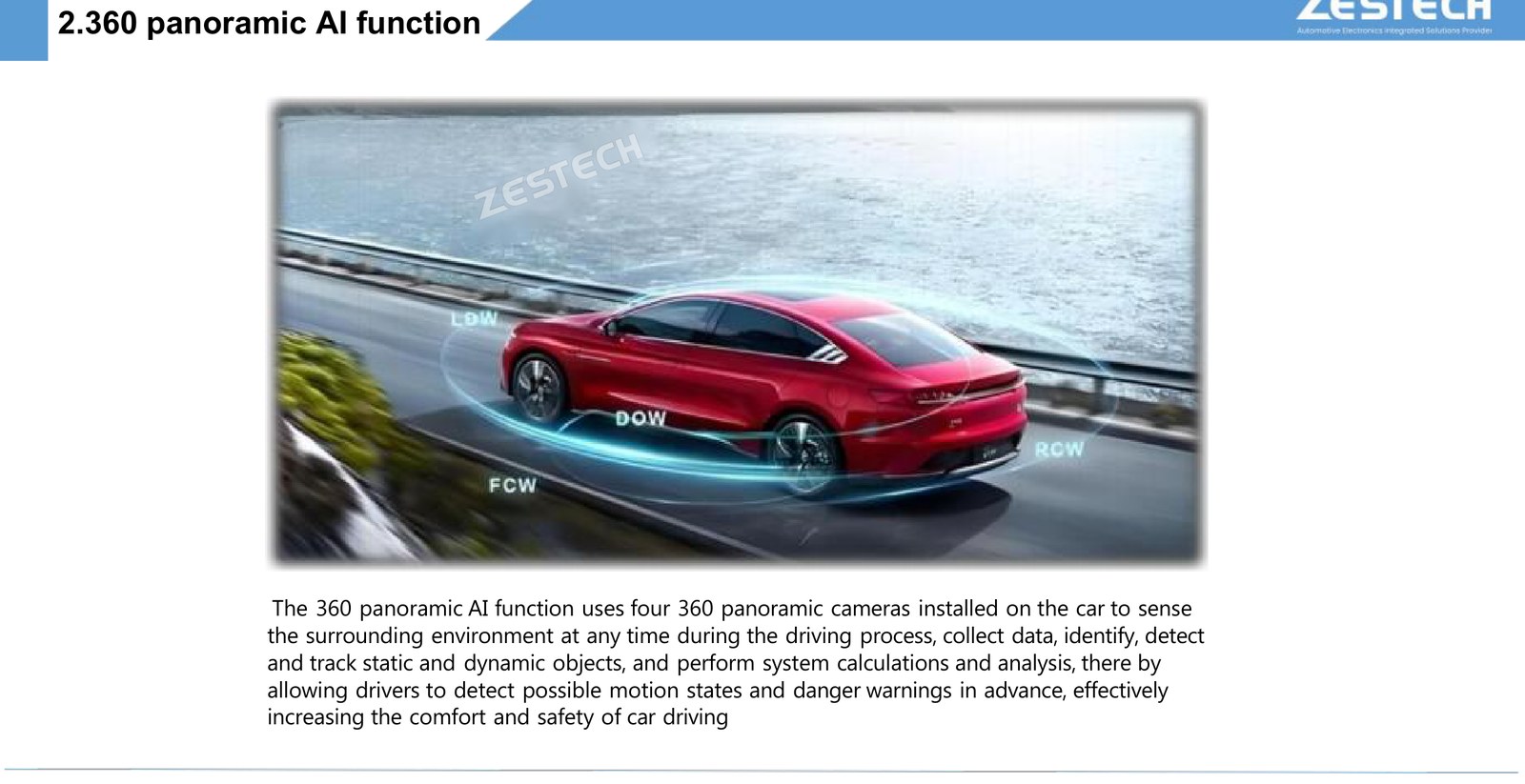
The 360 panoramic AI function uses four cameras mounted around the car to collect data continuously, identify, detect and track static and dynamic objects, and calculate what those objects are likely to do next. On top of the stitched surround view you get four independent AI monitors.
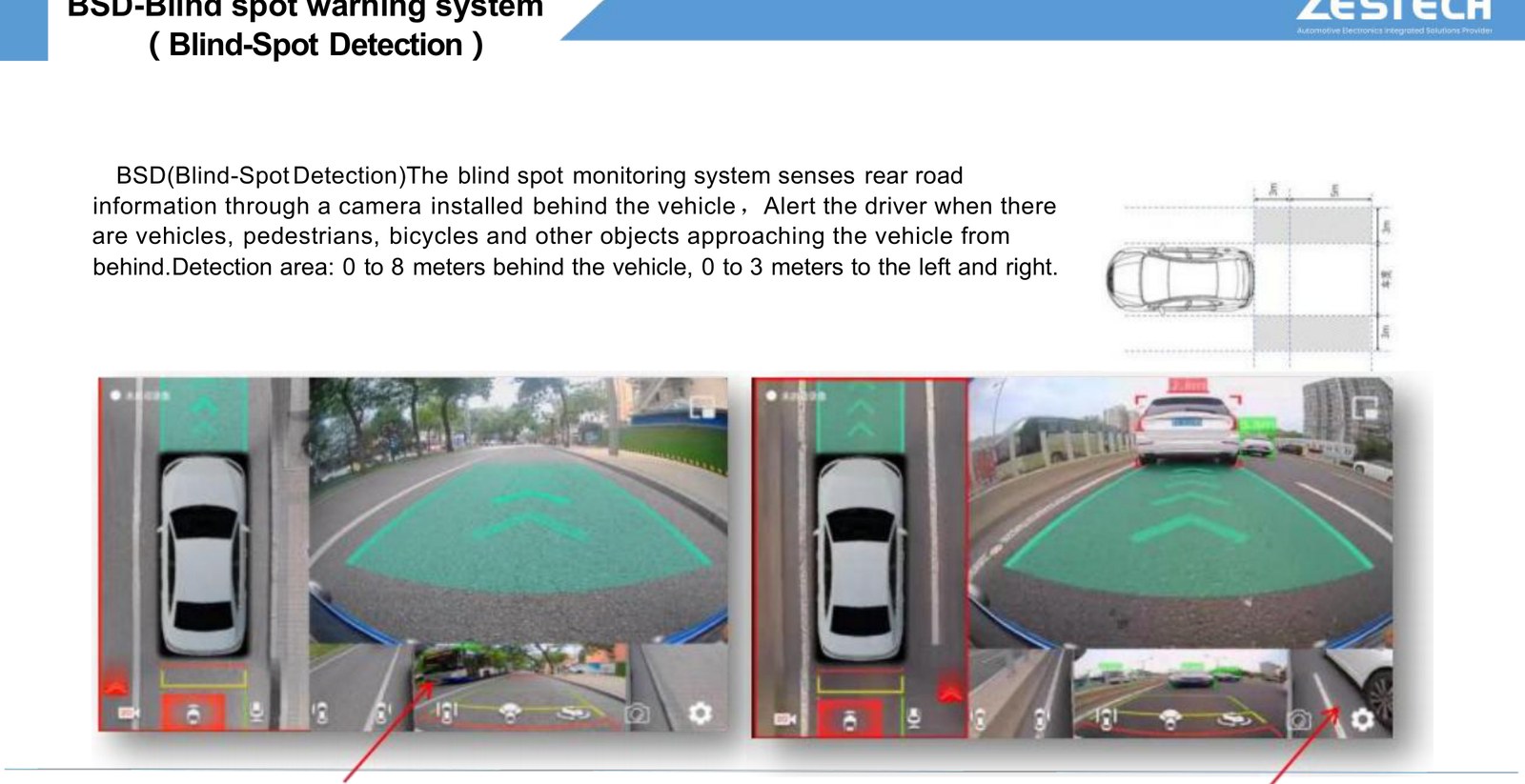
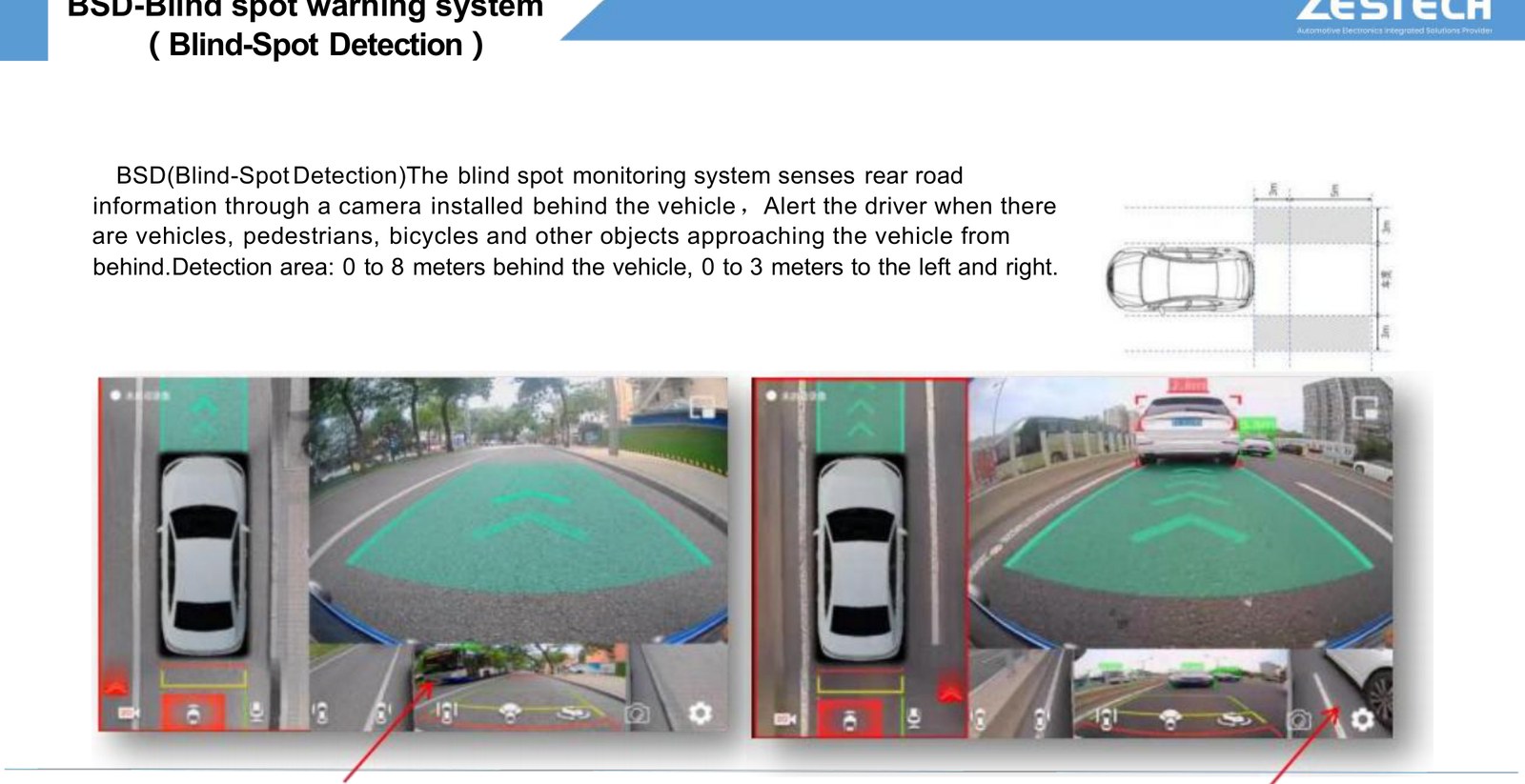
M MOD – Moving Object DetectionCameras on the front grille, both mirrors and the trunk watch for anything moving within 3 m front and rear, and 2.5 m left and right, then warn visually and audibly. | B BSD – Blind-Spot DetectionSenses the road behind through the rear camera and alerts when vehicles, pedestrians or cyclists approach. Coverage: 0–8 m behind, 0–3 m to each side. |
D DOW – Door Open WarningFisheye cameras on both mirrors and the rear monitor side and rear blind spots, and warn when opening a door would create a collision risk. Coverage: front of car to 8 m behind, 0–1 m sideways. | N NFCW – Near-Field Collision WarningUses the cameras around the vehicle to determine distance, orientation and relative speed against obstacles, and warns when a collision risk appears at close range. |
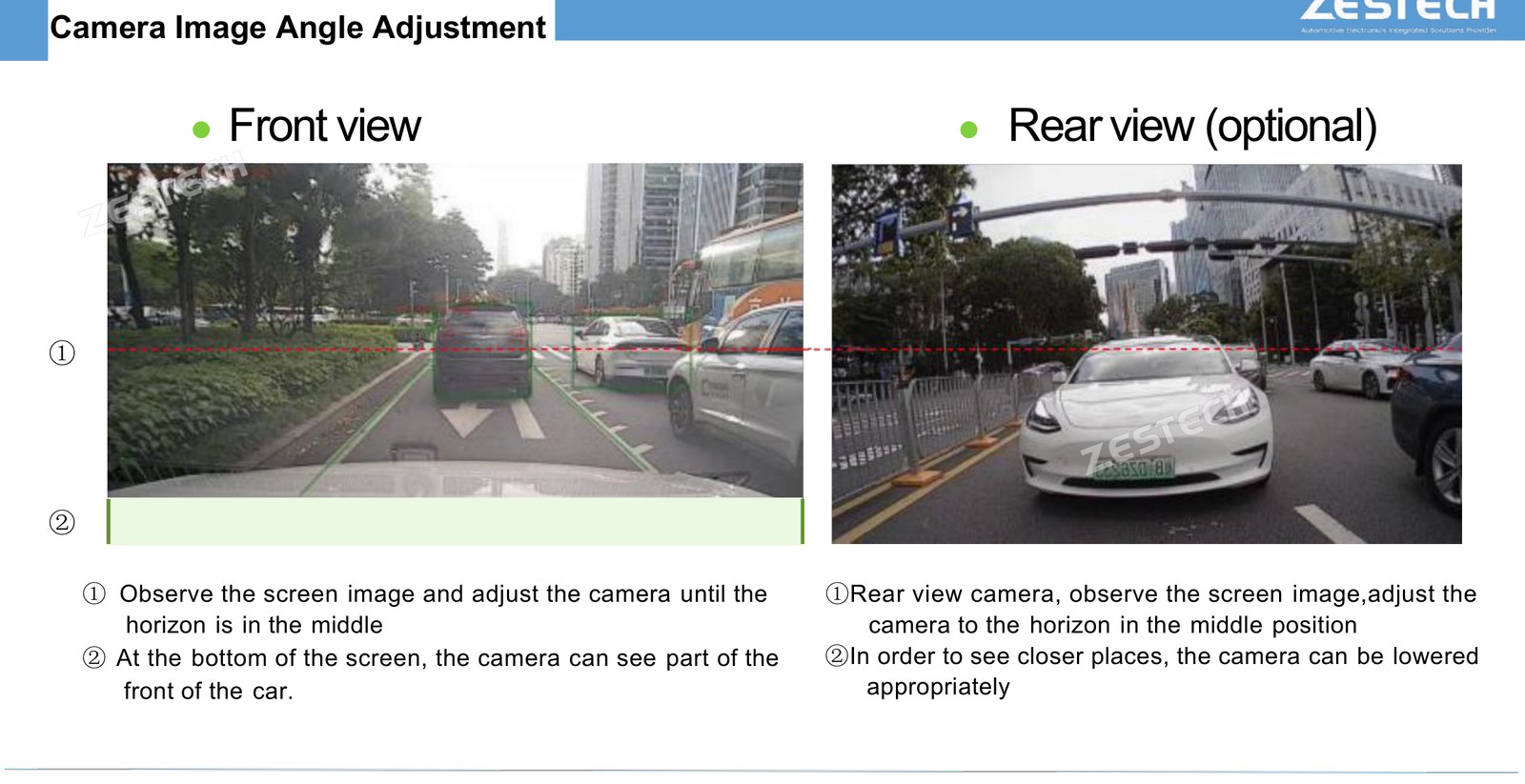
One practical note for installers: the 360 function does not require a specific camera model, but the stitching result does matter. Stretched or blurred objects cannot be recognised reliably – after stitching, surrounding objects should appear complete and clear.
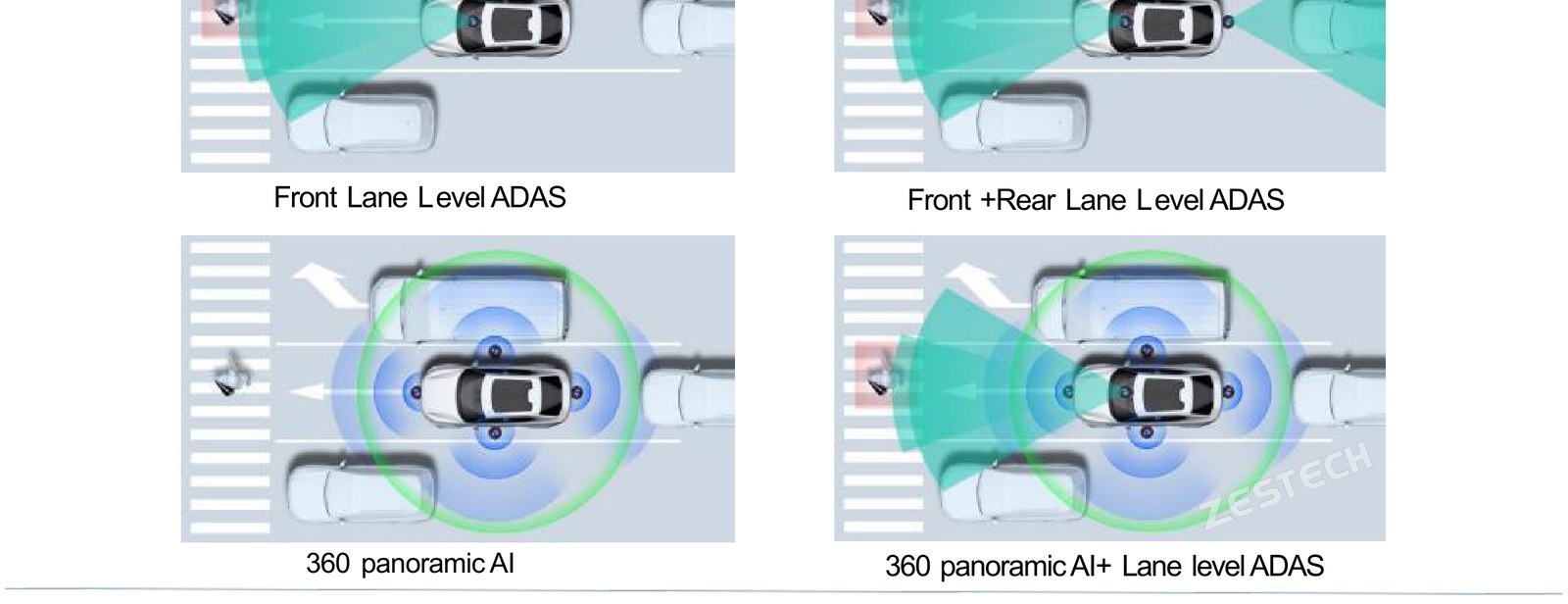
Camera Layouts: From One Camera to Five
Choosing a layout is mostly a question of which functions you want to sell. Here is the full range, from the simplest to the complete installation.
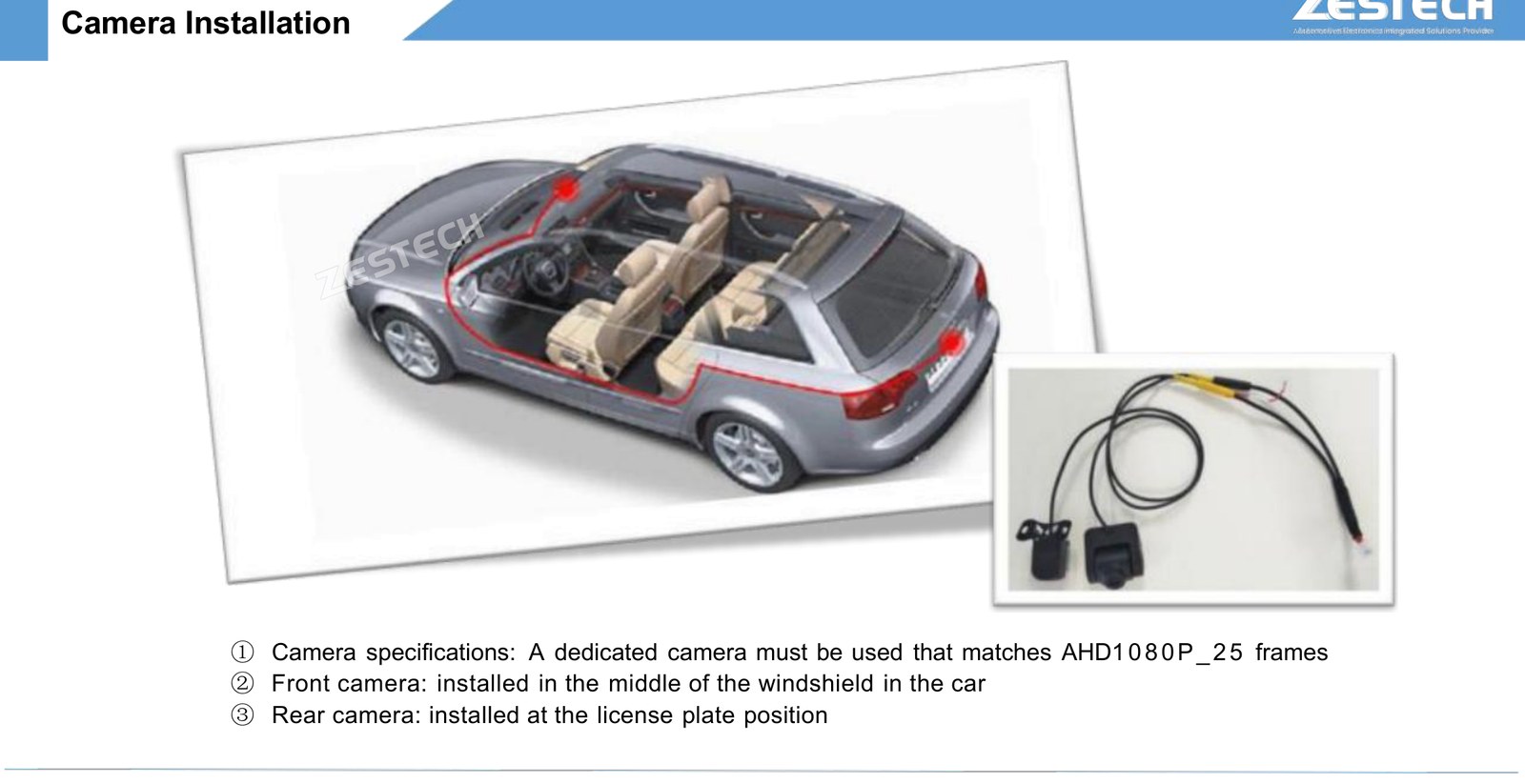
The algorithm and the camera must be matched – using a camera outside the specified model or parameters will not deliver the recognition result, so source the camera from the approved specification.

Installation and Calibration: Where Accuracy Is Won
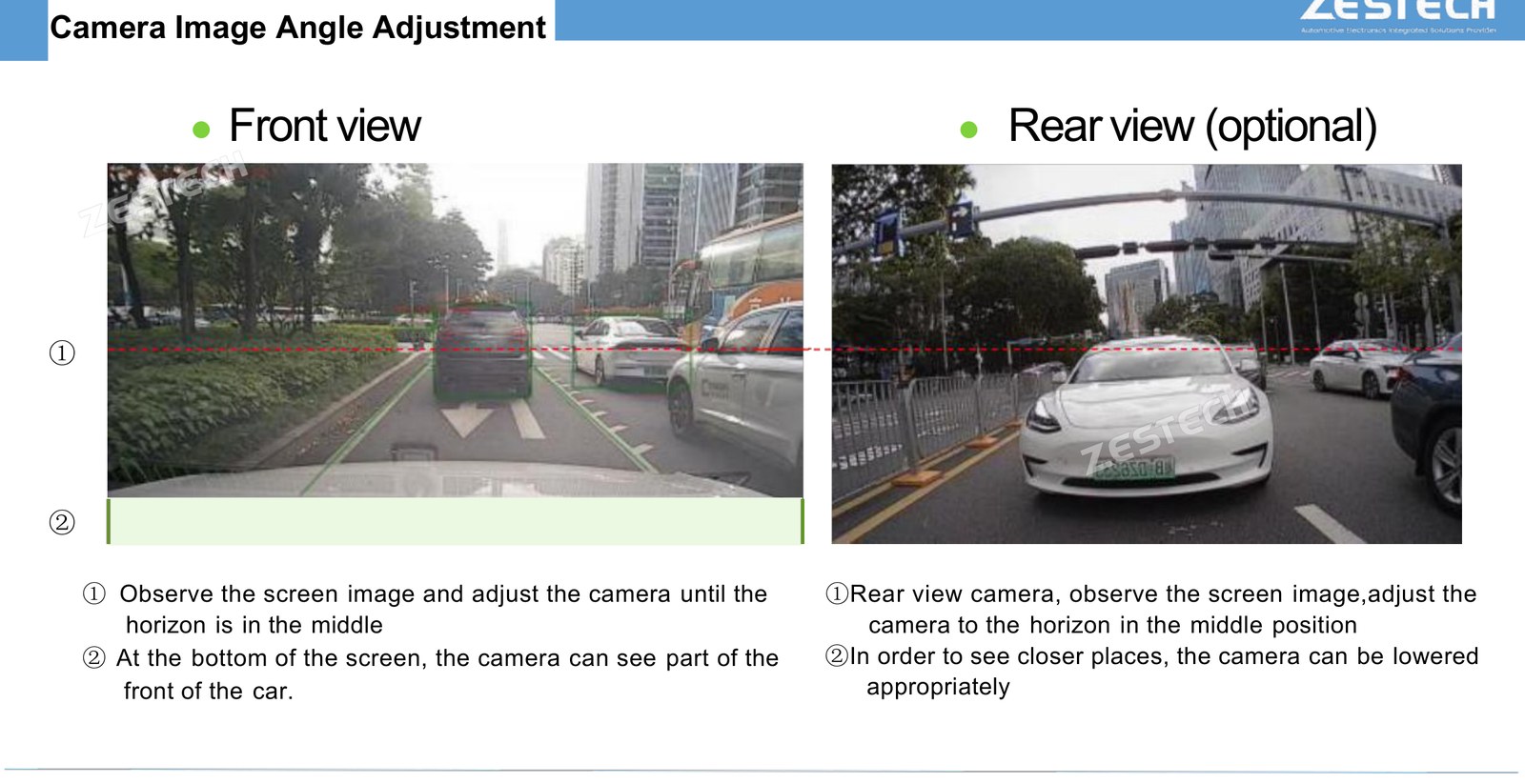
ADAS accuracy is not a software setting you can skip. The system needs to know exactly where each camera sits on the vehicle, and it needs a short drive to verify its own geometry. Do it properly and calibration completes in about two minutes of driving.
1 Mount and measureFit the camera, then measure its height, the horizontal distance to the front of the car, and the distance to the left and right edges of the windscreen. | 2 Enter parametersIn the settings interface select the camera type (default ZS2053) and enter the measured values against the schematic. |
3 Drive to calibrateTap Calibration and drive at around 30 km/h at constant speed; progress shows in the video preview. | 4 Confirm and tuneAfter calibration, set the enable speed, warning switches and sensitivity per function. |
Pick the Right Calibration Road
R Flat and straightClear lane lines, no obvious curves or slopes, and more than two lanes. Drive in the second or third lane from the left. | W Dry and brightSunny or overcast, no rain, snow or fog, and no standing water on the road surface. |
T Light trafficFewer vehicles means less interference with lane line detection; keep more than 20 m from the car ahead. | S Steady drivingNormal tyre pressure, constant speed, no lane changes, no rapid acceleration or braking. |
If calibration fails, check the parameter values against the measured positions first – an incorrect camera height or offset is by far the most common cause – then restart the calibration run.
Activation: Two Codes, One Account
Activation is handled inside the camera preview interface, and it is deliberately simple enough for a distributor to walk a customer through it over the phone.
1 Connect the devicePut the device online – activation is verified over the network. | 2 Open ADAS settingsIn the camera video preview window, tap the ADAS icon to enter the settings interface. |
3 Enter the codeEnter the activation code and confirm; on success the status changes to Activated. | 4 Re-sync if neededIf an upgrade or reset loses the activation file, tap Synchronize Authorization or restart the device to recover it. |
For the 360 panoramic AI function, the ADAS capability is an add-on built on top of the 360 function, so it must be used together with a 360 activation code. The order matters: activate 360 first, then activate ADAS. Codes are purchased separately and can be entered manually or by scanning.
For the lane-level function, the ADAS alarm and voice prompt can be switched off independently – handy for demonstration vehicles or for markets where customers want the visuals without the audible alerts.
Other settings worth knowing: you can choose single front-view ADAS or front and rear dual-channel processing; a simulated speed option exists purely for bench debugging; and the enable speed sets the threshold above which warnings become active.
Who This Is Built For
F Fleet operatorsSix forward warnings plus BSD and MOD give measurable risk reduction on delivery and long-haul routes, with per-function sensitivity tuning. | D Distributors and retailersTwo activation codes mean two revenue lines from one head unit, with camera kits sold as an attach accessory. | I Installation chainsStandardised measurement and a two-minute calibration drive keep bay time predictable, and a documented camera spec avoids comebacks. |
Because the functions are software-activated, the same hardware platform can be shipped with different capability sets per market – a genuine advantage when you are quoting several distributor tiers at once.
Talk to Us About an ADAS Project We supply head units, camera kits, activation codes and OEM branding for distributors, fleet operators and retrofit chains. Send us your target vehicle mix and volume, and we will match the right ADAS and 360 camera configuration — including camera sourcing and calibration support. WhatsApp: +86 135 3052 9880 Email: paula@szzest.com Website: www.szzest.com |
· 2026 Shenzhen Zest Technology Co., Ltd. ADAS is a driver assistance system and does not replace attentive driving. Specifications and function availability vary by platform, camera kit and activation code – confirm the current configuration with our sales team before ordering.

Tel: +86 755 2369 9550
Email: info@szzest.com
Add:
Building A, Huada Industrial Park, Fuqiao Third Industrial Zone,
Fuhai Street, Bao 'an District, Shenzhen, Guangdong


Design:jiasuweb